Product Update
March Product Update

New month, new features. March brings Longeye's biggest update yet - call timelines, massive PDF support, saved chats, thematic search, and much more.
New month, new features. March brings Longeye's biggest update yet - call timelines, massive PDF support, saved chats, thematic search, and much more.
Spring is in the air, and so are new features! Happy March, everyone.
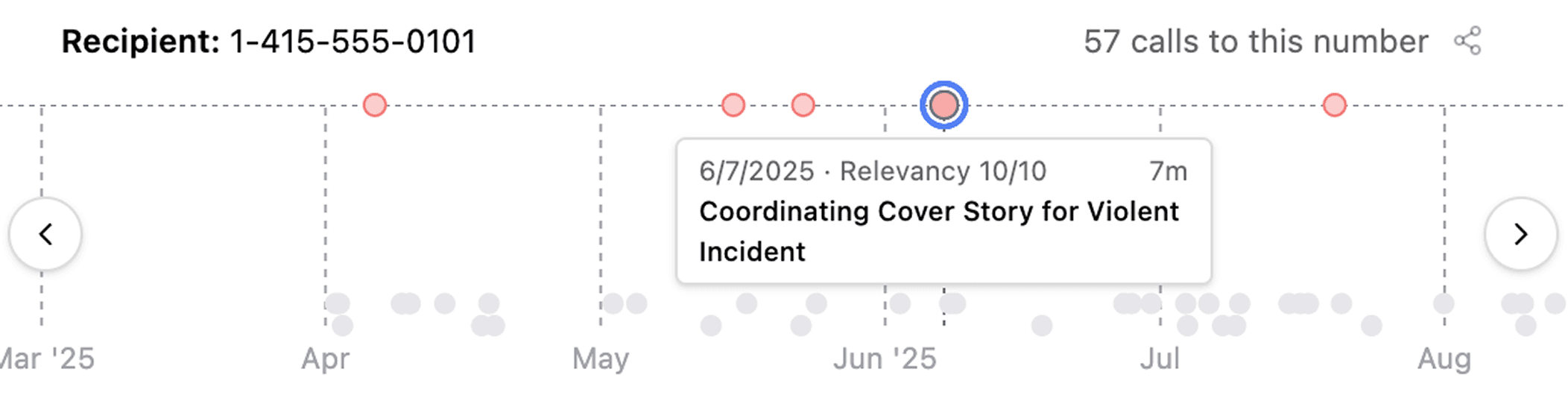
When you review large volumes of jail calls, Longeye now plots repeated calls to the same phone number on a timeline. We highlight relevant calls, and you can click different dots to jump from call to call quickly. We’re hearing this has been really helpful for local PD’s collaborating with federal units on fugitive searches.
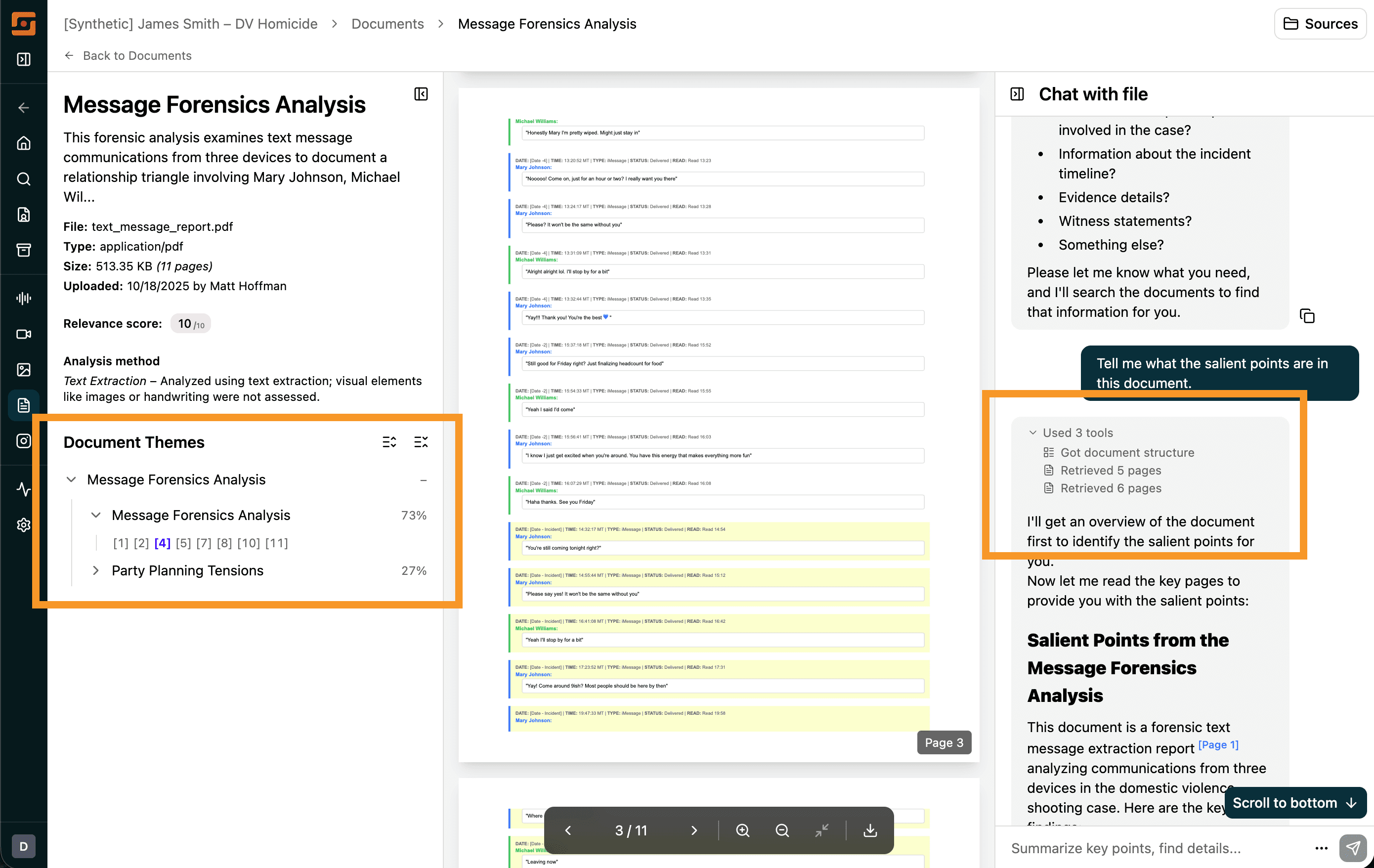
We’ve been working hard to improve support for PDFs with hundreds of thousands of pages (35MB+). This month, we introduced a new document detail page with a theme navigator that groups pages by the themes they discuss.
Document chat is also much better now: each time you ask a question, the chat bar explains how it’s processing your question. PDF citations now cite specific lines, not pages, and content search is much more reliable.
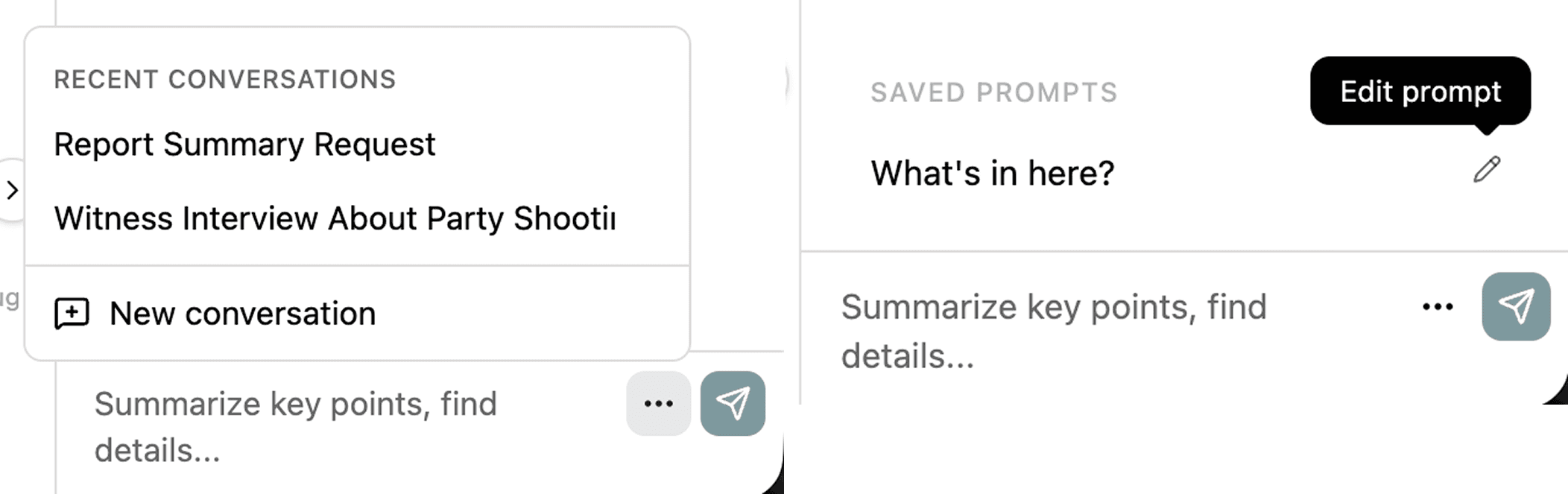
By popular demand, we finally built saved chat history. You can now revisit past chats and continue them—or start a fresh chat—right in the same spot. And, if you share with the org, your teammates can pick up where you left off.
In addition, you can now save chat prompts. If you frequently send the same prompt to different files, save it once and reuse it next time.
You can now search thematically through audio and video transcripts. For example, if you’re looking for something like “gun,” you can type “handgun” or “violence” and it will come up.
Search across audio and video now also works across languages—so even if the transcript is in Spanish, you can search in English and still find it.
In user testing we are observing fewer false positives in image captioning and improved image relevance scoring.
We fixed over 300 smaller issues. We’ve improved ingest speeds, continued to work on reliability, and we’re currently improving metadata extraction from Cellebrite UFDRs.